



https://github.com/olliw42/mLRS/tree/main/lua
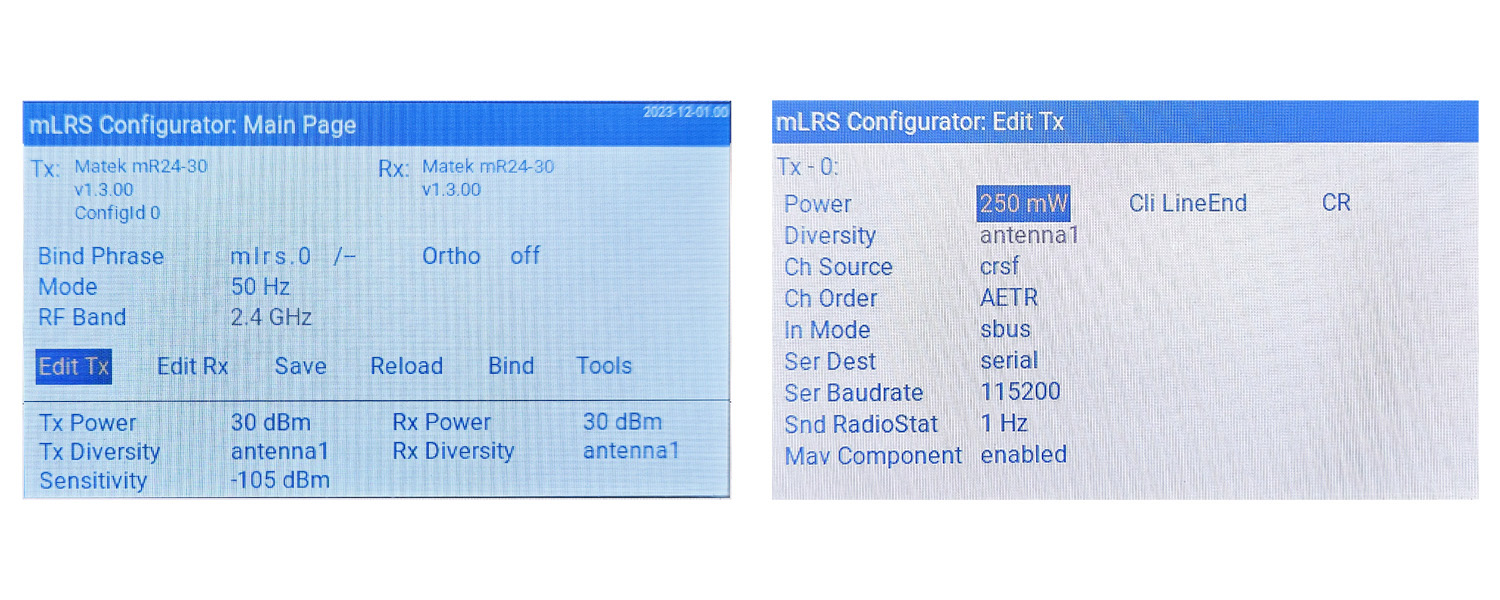
The mLRS Lua script provides the most convenient way to change the Tx and Rx module’s settings.
The Lua script works on both OpenTx and EdgeTx radios but there are two different versions depending on the display of your radio:
- If your radio has a 480×272 color screen (e.g. Jumper T16, Radiomaster TX16S) then use the “mLRS.lua” file
- If your radio has a black and white screen (e.g. Frsky Taranis X9E, Radiomaster Zorro) then use the “mLRS-bw.lua” file
Note: The mLRS script requires EdgeTx version 2.9.x or later.
Three things need to be done in order to use the Lua script:
-
The Tx module must be configured for CRSF or mBridge mode, by setting the parameter “Tx Ch Source” to “crsf” or “mbridge” respectively. Since firmware version v0.2.13 “crsf” is the default setting, so this will be already completed after an initial flash. If not, the CLI needs to be used to set this parameter accordingly, as described in CLI Commands.
-
In EdgeTX/OpenTX, navigate to MDL->MODEL SETUP and configure the external RF module for CRSF or mBridge protocol with 400K baud rate.
- Note: mLRS only officially supports 400K baud rate.
-
The Lua script “mLRS.lua” or “mLRS-bw.lua” located in the “lua” folder of the repository needs to be copied to the “SCRIPTS/TOOLS” folder of the radio’s SD card. One can follow the common tutorials for how to do this.
You should then be able to run the Lua script by going to SYS->TOOLS on the radio, and selecting “mLRS Configurator”.